Loading
Description
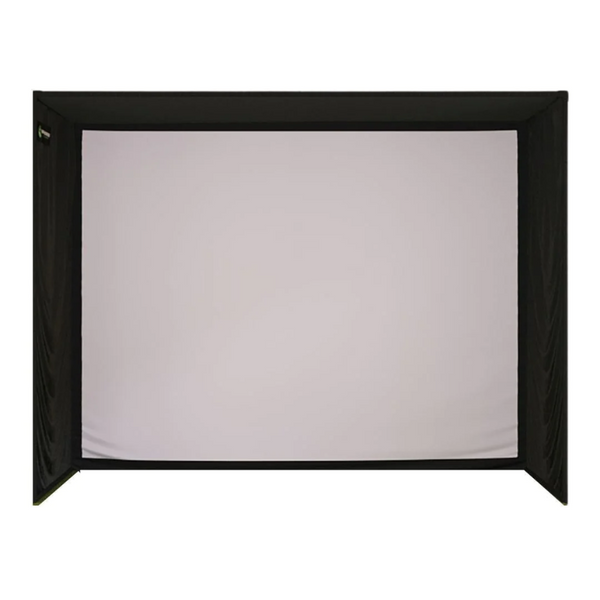
The SIG10 Golf Simulator Enclosure offers an immersive and professional-grade setup, now with the choice between the SIGPRO Premium (White) or an upgraded SIGPRO Premier (Gray) Impact Screen. This dual-option flexibility allows users to customize their enclosure based on performance expectations and budget.
Designed to maximize screen utilization, the SIG10 ensures that the image fills 100% of the screen, eliminating any white space commonly found in other enclosure systems.
Crafted from premium materials, the SIG10 golf simulator screen delivers HD quality display and is engineered to endure golf ball impacts of up to 250 MPH.
Also available in the SIG Signature Series are the smaller SIG8 Enclosure and the larger SIG12 Enclosure.
What's Included:
- Choice of SIGPRO Premium (White) or Premier (Gray) Impact Screen
- Push Pin Poles and Connectors
- Protective Foam Padding
- Premium Enclosure Surround Material
- 6" Ball Bungees
Features
Dual Screen Options
Now available with either the SIGPRO Premium (White) or SIGPRO Premier (Gray) Impact Screen, giving you the flexibility to choose the best option for your performance needs and budget.
Full-Screen Projection
The SIG10 ensures your simulator image fills the entire screen, removing distracting white space for better immersion.
HD Visuals with Superior Durability
Designed to handle ball speeds up to 250 MPH, the screen offers high-definition visuals and long-lasting performance.
Quick and Simple Assembly
Color-coded push pin poles and connectors make setup intuitive and fast, even for first-time users.
Premium Surround Finish
The vinyl surround creates a polished appearance and enhances the professional look of your simulator space.
Minimal Bounce-Back
Reduced noise and bounce-back make practice sessions safer and more enjoyable, especially with the Premium screen.
Flexible Sizing Options
Easily upgrade or downsize with compatible SIG8 and SIG12 models within the same Signature Series line.
What's Included
Two Impact Screen Options
Choose between the SIGPRO Premium (White) or SIGPRO Premier (Gray) Impact Screen to tailor your setup based on performance and price point.
The results demonstrated the superior durability of the SIGPRO screen compared to its competitors, along with reduced sound and bounce-back effects. Featuring double-stitched black vinyl edges and grommets, mounting the screen is effortless with the included ball bungees.

SIG Surround & Ball Bungees
Complete the look of your setup with the SIG Surround, designed to fit seamlessly around your enclosure for a polished appearance. Crafted from durable vinyl material, the SIG Surround enhances the aesthetics of your SIG10 Enclosure.
Included 6" Ball Bungees are utilized to securely attach the screen and nylon surround to the enclosure frame.

Push Pin Poles & Connectors
Frame assembly is simplified with color-coded push pin poles and connectors. These innovative kits streamline the setup process, making it smoother than ever to assemble your enclosure.

Specifications
SIG10 Enclosure Specifications
In general, the SIG10 Enclosure is designed to accommodate most spaces.
Please check your ceiling height and room width to ensure that you will be able to complete the assembly of your enclosure while allowing for 2"-3" of buffer space between the top of the SIG10 Enclosure (8'4") and your ceiling height.
Full Enclosure:
- Width: 10 feet 10 inches
- Height: 8 feet 4 inches
- Depth: 5 feet
Screen:
- Width: 10 feet 1 inch
- Height: 7 feet 7 inches
- Diagonal: 12 feet 7 inches
- Aspect Ratio: 4:3
Ensure that your club swing fits comfortably within your desired space, as higher ceilings may be necessary if your swing requires it. It's always advisable to place your setup in a space larger than the recommended requirements to ensure optimal usability.
Assembly
Assembly Instructions
Below, you'll find resources to guide you through the assembly process for your new frame and screen. Utilize the color-coded pipe kit and connectors to set up your frame first, then proceed to attach the black surround, impact screen, foam padding, and side barrier netting.
Resources
SIG10 Enclosure Assembly Instructions
FAQ
Q: What are the dimensions of the SIG10 Golf Simulator Enclosure?
A: The SIG10 Enclosure measures 10 feet 10 inches wide, 8 feet 4 inches high, and 5 feet deep. The screen itself measures 10 feet 1 inch wide by 7 feet 7 inches high, with a diagonal measurement of 12 feet 7 inches and a 4:3 aspect ratio.
Q: What ceiling height is recommended for the SIG10?
A: We recommend leaving at least 2 to 3 inches of buffer space between the top of the enclosure (8'4") and your ceiling. Depending on your swing, you may need a ceiling height of 9 feet or more for optimal comfort.
Q: How does the SIG10 optimize image projection?
A: The SIG10 is designed to maximize screen utilization, ensuring the projected image fills the entire screen with no unnecessary white space.
Q: What screen options are available for the SIG10 Enclosure?
A: You can choose between the SIGPRO Premium (White) or Premier (Gray) Impact Screen to best suit your needs.
Q: How difficult is assembly?
A: Assembly is simple thanks to the color-coded push pin poles and connectors, which make frame setup fast and intuitive. Detailed step-by-step assembly instructions are also provided.
Q: What materials are used for the enclosure surround?
A: The SIG Surround is made from durable vinyl material, providing a polished look and added protection around the screen.
Q: What accessories come with the SIG10?
A: The SIG10 includes protective foam padding, 6-inch ball bungees for securing the screen and surround, and a full push pin pole and connector frame kit.
Q: Are other size options available in the Signature Series?
A: Yes, if you need a different size, the SIG8 and SIG12 Enclosures offer both smaller and larger options with the same premium features.